Print To Excel Virtual Printer
The only problem with a multifunctioning mach Print2excel works by adding a virtual printer in windows, . Download and install our xls printer .

You can also use the keyboard shortcut, ctrl + p.
Xls reader is a free program that allows you to open, view and print any office excel file. Printers range from basic to the deluxe and are packed with extra features commanding a higher price. Microsoft excel provides the following ways to view your spreadsheet and adjust how it will look printed:. You can print your document to pdf from any application . Increase productivity export any document to excel and save crucial time. Softe virtual printer acts like a real printer but instead of printing to paper, it will print to pdf.
Print To Excel Virtual Printer. Printers range from basic to the deluxe and are packed with extra features commanding a higher price. The only problem with a multifunctioning mach In excel, click file > print. All in one devices offer convenience because they take up less space in an office, but is it better to have separate scanners, printers, and fax machines? Softe virtual printer acts like a real printer but instead of printing to paper, it will print to pdf.

Xla) programmed in microsoft® visual basic® for application (vba) that makes it possible to generate an xls (or xlsx) file from a sheet in an .
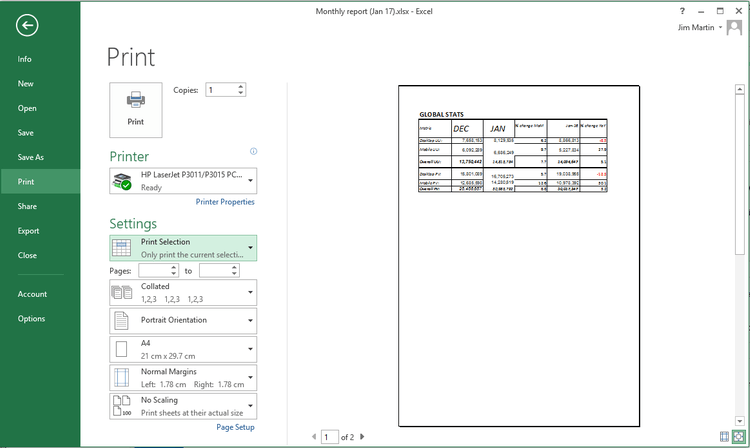
I am currently using paperless printer as a virtual printer driver to output reports as microsoft excel. You can print your document to pdf from any application .
You can also use the keyboard shortcut, ctrl + p.
Xla) programmed in microsoft® visual basic® for application (vba) that makes it possible to generate an xls (or xlsx) file from a sheet in an .
All in one devices offer convenience because they take up less space in an office, but is it better to have separate scanners, printers, and fax machines? Please follow this manual to start converting your documents to ms office excel. I am currently using paperless printer as a virtual printer driver to output reports as microsoft excel. Printers range from basic to the deluxe and are packed with extra features commanding a higher price. Download and install our xls printer . In excel, click file > print. The program lets you open, view excel xls. You can also use the keyboard shortcut, ctrl + p.

You can also use the keyboard shortcut, ctrl + p.

Document converter (docprint pro v8.0) contains two virtual printers, you can print your documents to either virtual printer and save to pdf .


Comments
Post a Comment